

Two Modes, One Platform: How KiwiBooks Works for Clients and CPAs

Most bookkeeping software makes a single bet: that every user wants the same thing. The freelancer who just needs to know what she owes in April sits inside the same interface as the CPA reviewing 30 client files. That bet is almost always wrong, and the evidence shows up at tax time, in the form of clients who stopped using the software in February.
We redesigned KiwiBooks to stop making that bet.
The problem we were solving
CPAs tell us the same thing repeatedly: their clients know they should be tracking expenses. They download an app, they set it up, and three weeks later they have stopped using it. The interface asked them to think like an accountant, and they are not accountants.
By the time tax season arrives, those clients hand over a year's worth of bank statements and ask the CPA to reconstruct everything from scratch. That work is expensive and tedious, and it takes time away from advisory work that would actually help the client's business.
The problem is not that small business owners are lazy. The problem is that the software was built for accountants, not for them.
Simple mode: built for the client
The first mode is built for clients who find accounting overwhelming.
The Simple view is mobile-first. A client opens the app and sees their income, expenses, tax, and net in one screen. They photograph a receipt and AI categorizes it. They log mileage in two taps. They never see a chart of accounts, a reconciliation prompt, or a journal entry.
That is the entire experience. Upload, categorize, summarize. Nothing more is asked of them.
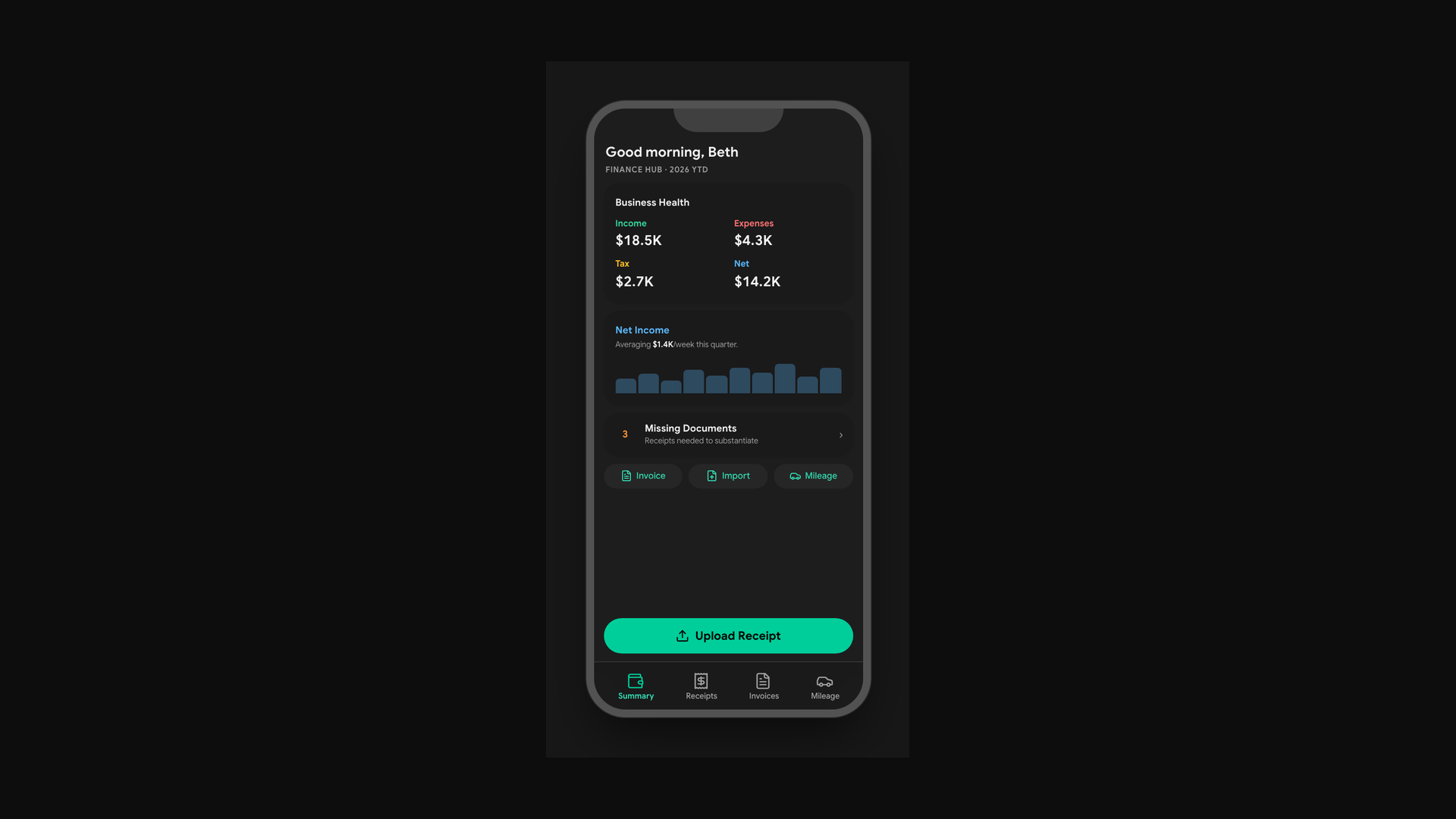
Why this matters to you as a CPA: clients who track things year-round arrive at tax season with data. The two days your firm used to spend reconstructing a client's books before you could start real work shrinks to a single review. One firm told us they saved $800 in prep fees per client in the first year.
Advanced mode: the Expert Console
The second mode is built for power users and the CPAs reviewing their books.
The Expert Console is a full financial dashboard: income and expenses, receipts and bills, invoices and estimates, mileage, Tax Center, and P&L reports. Tables, filters, bulk actions. Everything a CPA needs to review a client's financials without asking for exports or explanations.
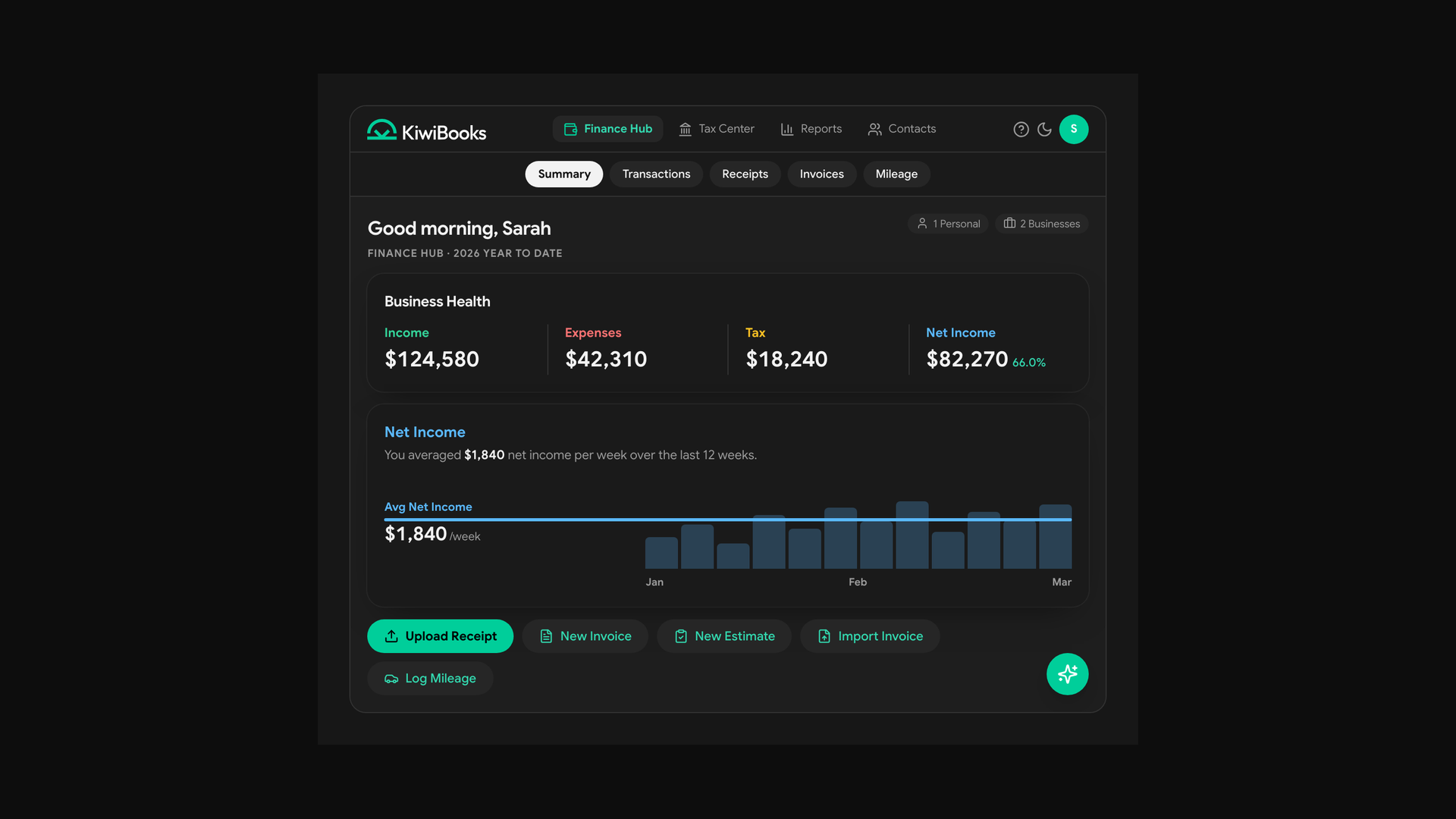
"My CPA used to spend two days just sorting through my receipts and bank statements before he could even start. This year I sent him a Kiwi report and he said we were done in one hour."
Clients on the Simple view can upgrade to the Expert Console with one tap when they want more detail.
The CPA dashboard
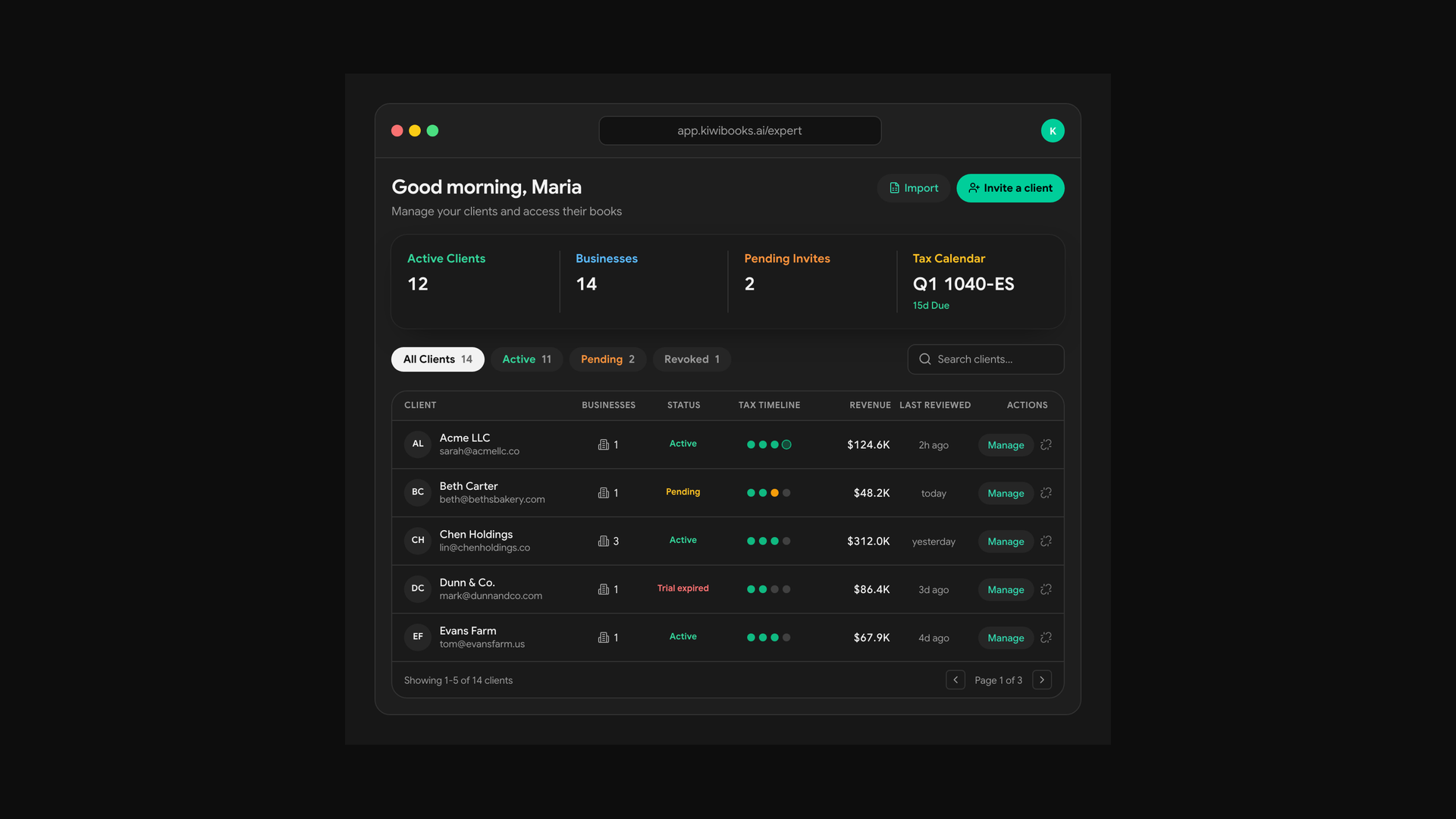
CPAs get a dedicated Expert Dashboard at no cost to the firm.
Every client you invite, whether they use Simple or Advanced bookkeeping, feeds into one login. You see reconciliation status, tax readiness scores, and year-end reports across your entire client roster without switching accounts. You set the access level per client: full bookkeeping for the clients who want it, simple income and expense tracking for the ones who need something lighter.
We cover Schedule C, E, F, Form 1065, 1120-S, 1120-C, and personal 1040. Clients get a 30-day trial before they are ever charged. Your firm pays nothing.
Why one platform, two modes
The business owner should not need to understand double-entry accounting to know if she is profitable. The CPA reviewing her books should not have to chase down records that better software would have captured automatically.
Both of those things are true at the same time. A single interface cannot serve both well, so we built two. The client gets the version that matches how she actually thinks. The CPA gets the version that matches how he actually works. Their data lives in the same place, and the year-end handoff is a report, not a reconstruction.
If you want to see the Expert Dashboard, book 15 minutes at kiwibooks.ai/callkiwi. CPAs can register at app.kiwibooks.ai/register/cpa.
Related guides
Ready to simplify your bookkeeping?
Start your free trial today, no credit card required.
Try KiwiBooks Free